
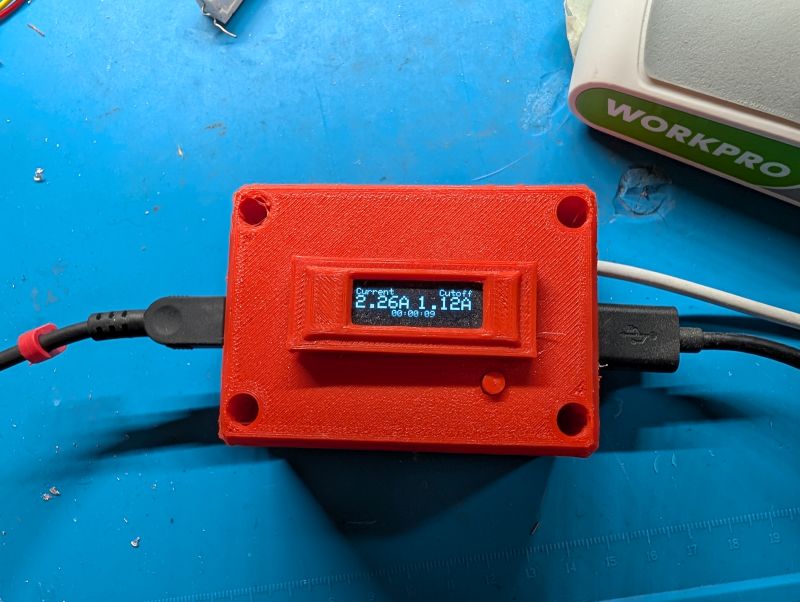
ChargeCap - USB Charge Limiter for Any Device
A USB charger that stops at 80-90% to extend lithium-ion battery lifespan.
The Problem
Lithium batteries will last years longer if you follow one simple rule:
Don’t leave fully charged or fully discharged
The passive erosion of its chemical health takes place the fastest at these stages. For a tool you use a lot, maybe it is less of an issue. Both because it spends more time in the middle state of charge but also because you probably feel, after years of repeated cycles, that you’ve gotten your use out of the battery and a replacement is warranted.
But a lot of small tools are using lithium rechargeable batteries now… which is great! Feels wasteful to be constantly replacing and trashing alkaline batteries. But this tool probably spends 99% of its time sitting. And since most people charge it fully before storing it, it’s inadvertently spending most of its time in an accelerated state of decay.
I started manually taking my devices off charge before it was full. But this is an imprecise and manual process… more often than not, I tell myself I’ll unplug it in an hour, but actually do so 2 days later when I see it and remember.
Chip manufacturers don’t seem to care and the ability to select a lower voltage level never seems to be possible in the standard battery management ICs that are used in all of these products. Because of this, product designers don’t consider it an option.
If product manufacturers wanted to implement this ability it would add complexity and failure points, custom for every product they sell. And it would complicate the user interface as well - no benefit to them because the user isn’t even aware there is a problem to begin with.
Facts of Charging Li-Ion Batteries
- Degradation is disproportionately bad as it nears 100% charge. AKA a little reduction goes a long way
- Charge current (amperage) is always reduced near the top end to keep the battery cells safe
- Current reduction only occurs when the battery of mostly charged, say 80% to 90%.
The Idea
Exploit the unique characteristics of a lithium ion charge curve to disconnect the battery only when the battery is mostly charged. By monitoring the current going in, you can tell when any lithium ion pack is nearing full, no matter the size or cell configuration.
The charge current will be at its peak and stay constant for the majority of the charge. When it reaches a high voltage, the charger is at its top limit voltage (near 4.2V per cell) and the current going in is proportional to the remaining uncharged portion of the cell, linearly. Thus, if you read the current going in at the start and choose a current value that is, say, half of that, you can be sure there is some uncharged percentage of the battery left at that point.
Hardware Design
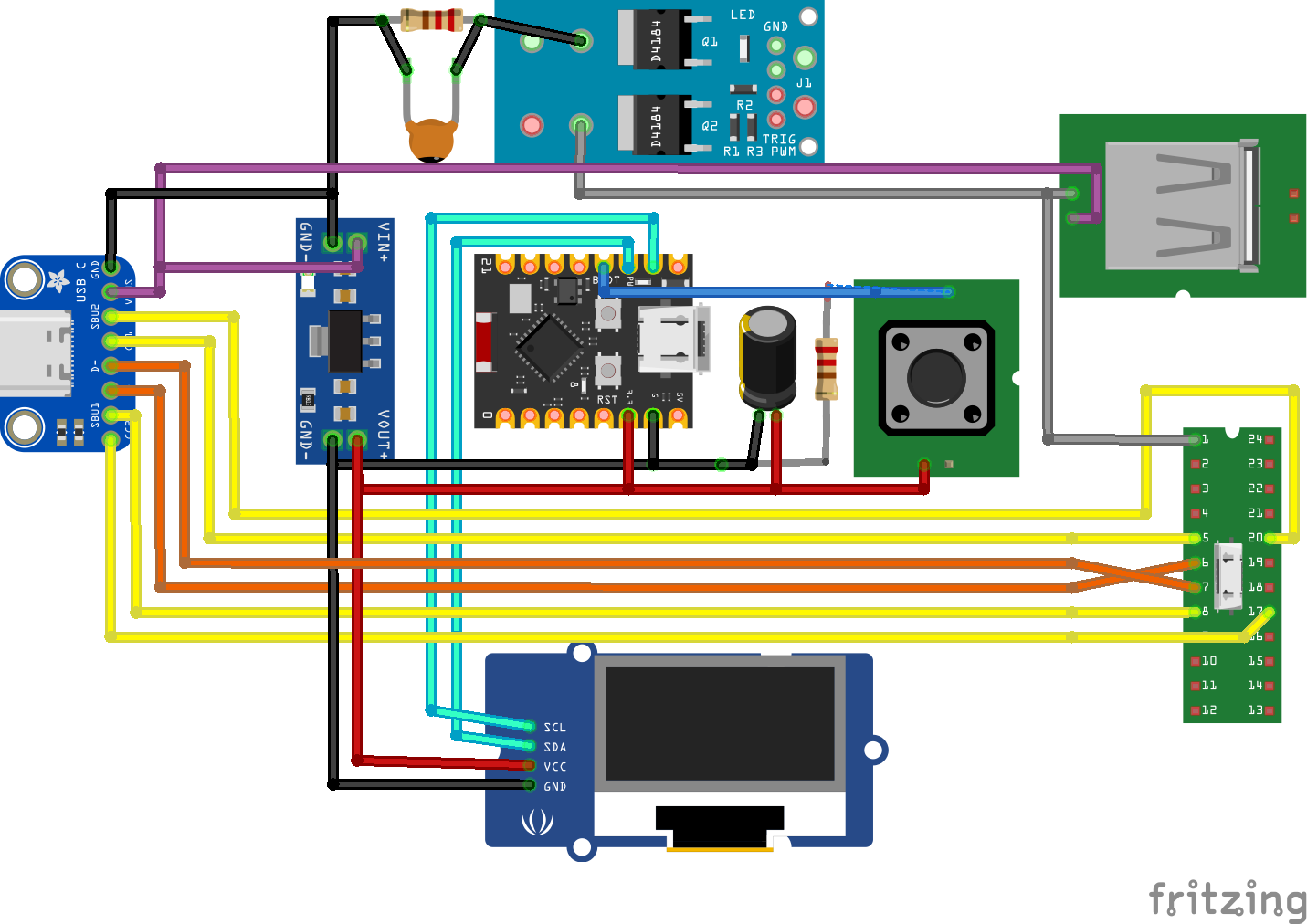
- MCU
- An ESP32-C3 for the brains
- Mosfets
- A two-mosfet module to pass current to the two output ports in parallel
- Only the ground is actually switched
- Ports
- USB-A female output, USB-C male output (cable)
- USB-C female input
- Display
- Tiny OLED works well enough to show charge current, the setting, and inverts colors when charging is disabled
- Power: A linear 3.3v step-down regulator to power all devices from USB
- You could also wire 5V directly to the ESP32-C3 and use its own 3.3v output for the modules that require it, assuming it can handle the load
- Shunt resistor: Length of wire measured to be 0.027 Ohm.
- Use anything you can find or make, the ADC is noisey anyway and you just need to be in the ballpark.
- Lowest resistance practical to ensure less voltage drop
- Capacitor from ADC0 to ground, for noise
- Pushbutton
- Button pulls any GPIO to 3.3v
- Tie this pin to ground via 10k resistor
Wiring the Ports
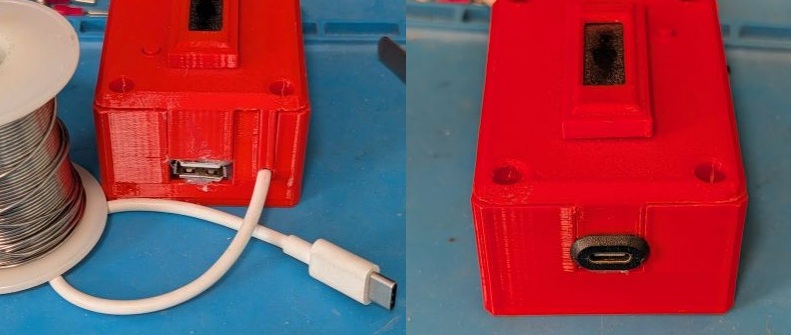
A USB-C cable is permanently attached for ease of use - most devices will (or will eventually) use this, so it’s always right there.
For any other device, you can plug its own USB cable into the USB-A rectangle port. Don’t use both cables at once as your devices will probably charge at different rates.
The extra connection wires from the USB-C input are passed to the output so devices that communicate to charge can do so. Only the ground is rerouted through the mosfet module.
Normal Operation
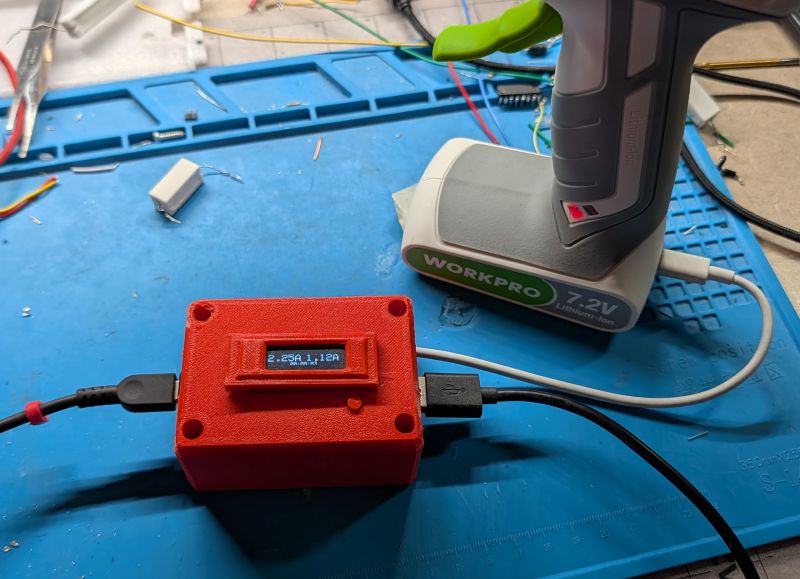
The interface is dead simple and fast. It boots up and shows you the charge current as a sanity check. You hold the button down and it sets 50% of that value to be the cut-off - then you can leave it to charge. When it’s done, the display will invert so you can see, and a short button press will turn the output back on and you can set it again with another device.
Remember that if your device is already in the ‘almost full’ zone, the ChargeCap won’t automatically know that. You’ll get an idea of what rate each device should be charging at and can confirm before you set it down to continue charging.
Resources
Source code: https://github.com/DaverDavids/ChargeCap
3D files: https://github.com/DaverDavids/ChargeCap/tree/main/3D%20Files